
Meta Pixel and Conversions API Setup for Shopify: Step-by-Step Guide
How to set up the Meta Pixel and Conversions API on Shopify correctly, verify events, fix duplicates and improve tracking so your Facebook ads optimise for real sales.

Key takeaways
- Use Shopify’s official Facebook & Instagram app with ‘Maximum’ data sharing.
- Pixel (browser) plus Conversions API (server) together give the most accurate data.
- Check Events Manager for deduplication, event match quality and correct purchase values.
- Bad tracking makes Meta optimise for the wrong people, so fix it before scaling.
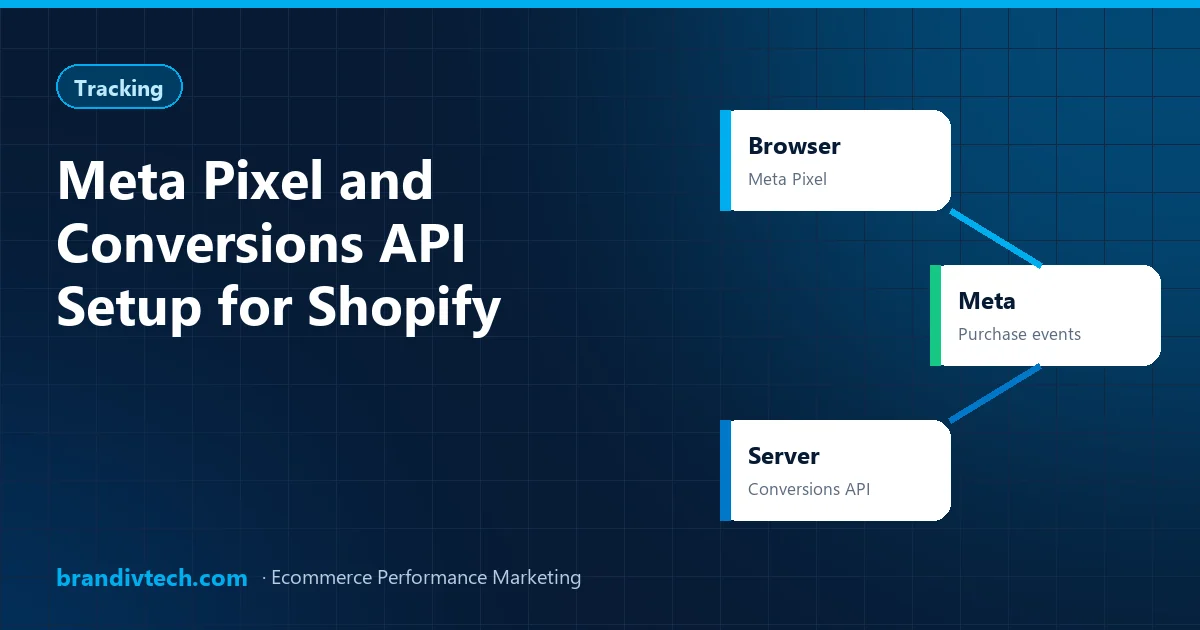
If your Facebook ads have suddenly become expensive, or Ads Manager shows far fewer purchases than your Shopify dashboard, the problem is often tracking, not your ads. Browsers, ad blockers and privacy changes block a lot of pixel data. The fix is to run the Meta Pixel together with the Conversions API (CAPI).
Pixel vs Conversions API: what’s the difference?
| Meta Pixel | Conversions API | |
|---|---|---|
| Where it runs | In the customer’s browser | From your store’s server to Meta |
| Blocked by ad blockers? | Often | No |
| Setup on Shopify | Automatic via the app | Automatic via the app with the right setting |
Use both. Meta matches the same event from the browser and the server and removes duplicates, so you get the most complete picture.
Step 1: Prepare your Business Manager
- Make sure your ad account, Facebook page, Instagram account and pixel (dataset) are all owned by your Business Manager.
- Verify your domain in Business Settings > Brand Safety > Domains.
- Give your agency partner access, never ownership.
Step 2: Install the Facebook & Instagram app on Shopify
- In Shopify, go to the app store and install Meta’s official Facebook & Instagram app.
- Connect your Business Manager, ad account, page and pixel.
- In the data sharing settings, choose Maximum. This turns on the Conversions API alongside the pixel.
- Remove any old pixel code pasted into your theme, to avoid double tracking.
Step 3: Verify your events
Open Events Manager and use Test Events while you browse your store and place a test order. You should see:
- PageView, ViewContent, AddToCart, InitiateCheckout and Purchase.
- Each event received from both Browser and Server.
- Purchase events with the correct value and currency (PKR for Pakistani stores).
Step 4: Check deduplication and match quality
In Events Manager, open each event and check:
- Deduplication: browser and server events should be deduplicated. If purchases are counted twice, your ROAS will look better than reality.
- Event Match Quality: higher is better. It improves when customer details like email and phone are shared with Meta in hashed form through the app.
Step 5: Set up your conversion priorities
Make sure Purchase is set as your most important event. Then build your campaigns to optimise for Purchase, not Add to Cart or Landing Page Views, once you have enough data.
Common tracking mistakes we find
- Two pixels on one store, often one from an old developer or agency.
- Hard-coded pixel plus the app, which doubles every event.
- Wrong currency, such as USD values on a PKR store, which ruins ROAS reporting.
- Purchase firing on a thank-you page refresh, counting one order several times.
- Third-party checkout or COD apps that don’t send the purchase event back to Meta.
The last one is very common in Pakistan. If you use a custom COD form app, check that it triggers the Purchase event with the right value.
Why this matters so much
Meta’s algorithm learns from your conversion data. If it only sees half your purchases, it learns from half your buyers and finds fewer people like them. Fixing tracking alone often lowers cost per purchase without changing a single ad.
Using WooCommerce instead? The same principles apply, with a plugin or a server-side tag manager setup. Read our Shopify vs WooCommerce comparison for more. And if you’d like us to check your setup, we include a full tracking review in our free ad account audit.
Frequently asked questions
Do I need Conversions API if I already have the Meta Pixel?
Yes. The pixel alone misses events blocked by browsers and ad blockers. Running both gives Meta more complete data and better optimisation.
How do I enable Conversions API on Shopify?
Install Meta’s official Facebook & Instagram app, connect your accounts and set data sharing to Maximum.
Why does Ads Manager show different sales than Shopify?
Differences come from attribution windows, blocked tracking, duplicate events, COD cancellations and returns. Proper Pixel and CAPI setup reduces the gap.
What is Event Match Quality?
A score in Events Manager showing how well your event data can be matched to Meta users. Sharing hashed customer details like email and phone improves it.
Head of Marketing at Brandiv Technologies. 6+ years running Meta, Google and TikTok campaigns for ecommerce and lead generation brands across 10+ countries. See case studies →
Related guides
TikTok Ads in Pakistan: Are They Worth It for Ecommerce Brands?
Who TikTok ads work for, how to set them up, the creative rules that matter and how to measure sales properly.
8 min read →
The Ad Creative Testing Framework We Use for Ecommerce Brands
Angles, hooks, formats and budgets: the repeatable system we use to find winning ads every week.
8 min read →
Shopify vs WooCommerce in Pakistan: Which Is Better for Your Online Store?
Costs, payments, COD, couriers, speed and marketing: an honest comparison to help you pick the right platform.
9 min read →Not sure your tracking is right?
Tell us about your store and we’ll get back to you with a clear plan to grow sales profitably.
- Ad account & campaign structure review
- Creative and offer feedback
- Tracking (Pixel / CAPI / GA4) check
- Clear next steps, no obligation